
Use AI Analyse and AI Ask on your results
UserSearch lets you bring an AI Agent to your search so you can analyse findings and ask questions in natural language instead of reading every card by hand. These AI actions are powered by S.A.R.G.E. — Strategic Autonomous Research Gathering Engine — the same AI Agent documented in the AI Agent overview. Its in-chat persona is “Sarge, your senior investigator.”
The AI Agent carries a Version: 0.3 (experimental) label in the product. It is a real, supported feature (per Lee, 2026-07-08), but treat it as experimental: its outputs are AI-generated and must be verified.
What these actions are for
Section titled “What these actions are for”The AI Agent can drive OSINT work conversationally rather than card-by-card. Two kinds of AI action are relevant when you already have results in front of you:
- AI Analyse — hand your findings to the agent for a summary or interpretation.
- AI Ask — put a natural-language question to the agent about your results.
Both are AI-generated. The consent notice you accept before first use states that responses “may contain inaccuracies, outdated information, hallucinations, or errors,” and that “search results and agent output should be independently verified.” Do not rely solely on AI output for critical decisions.
Before you can use it: the consent gate
Section titled “Before you can use it: the consent gate”The first time you use S.A.R.G.E., a modal titled “Before You Use S.A.R.G.E.” gates access. You cannot run any AI action until you clear it.
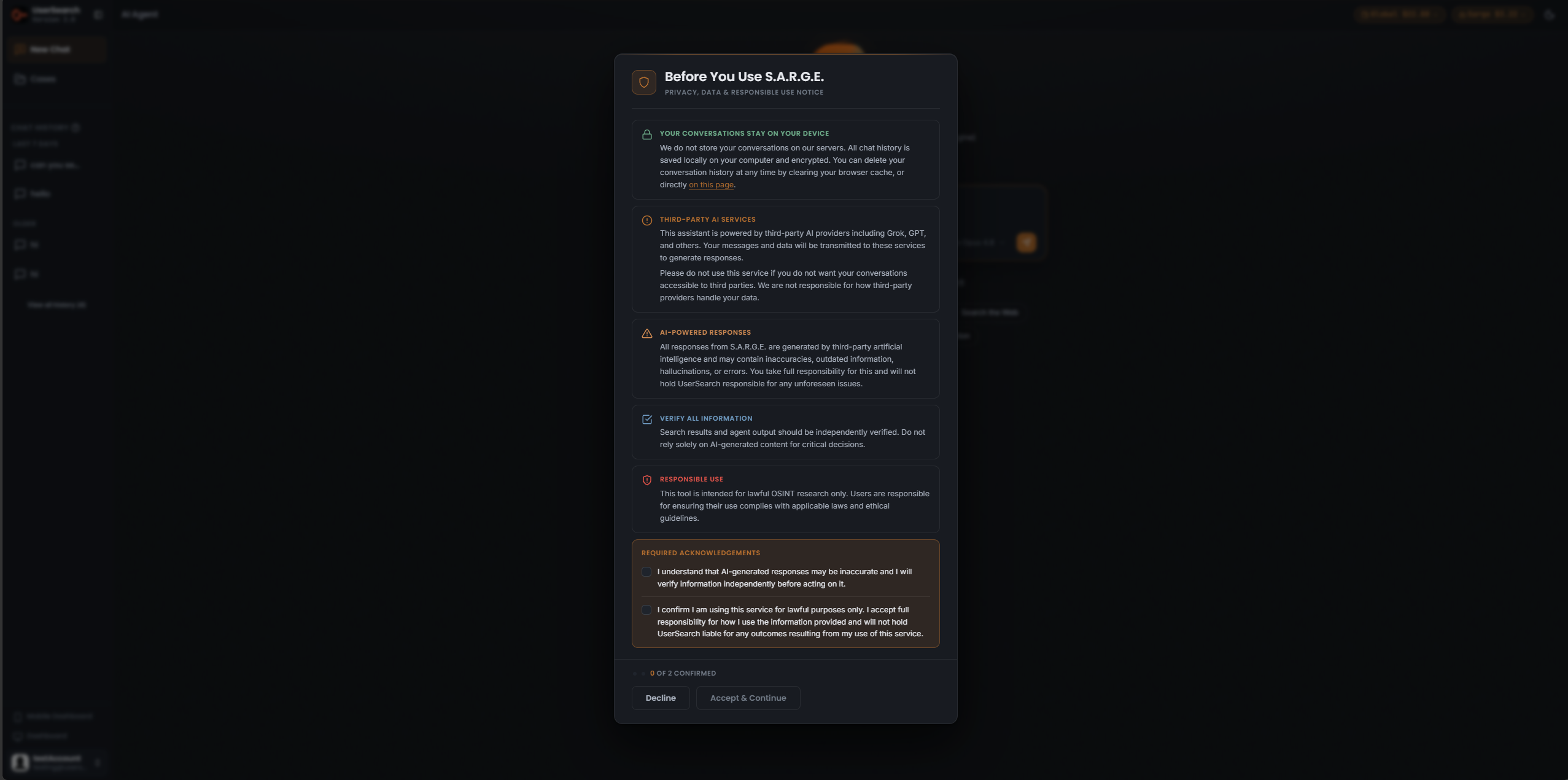
The modal presents five notice sections:
- Your conversations stay on your device — conversations are not stored on UserSearch servers; chat history is saved locally on your computer and encrypted. You can delete it by clearing your browser cache, or directly on the page.
- Third-party AI services — your messages and data are transmitted to third-party AI data sources to generate responses.
- AI-powered responses — responses may contain inaccuracies, outdated information, hallucinations, or errors.
- Verify all information — agent output should be independently verified.
- Responsible use — the tool is intended for lawful OSINT research only.
To proceed you must tick two required acknowledgements — that you will verify information independently, and that you are using the service lawfully. A counter tracks progress (for example, “0 OF 2 CONFIRMED”). Once both are ticked, use Accept & Continue; Decline blocks access.
How AI actions are charged: two credit pools
Section titled “How AI actions are charged: two credit pools”UserSearch maintains two separate credit wallets that are topped up and spent independently (per Lee, 2026-07-08):
| Pool | Pill label | Pays for |
|---|---|---|
| Global | e.g. Global $22.88 | The underlying searches the agent runs |
| Sarge | e.g. Sarge $3.22 | Chat turns and generated reports |
The AI Agent states the split directly under its composer: “Chat & reports use Sarge credits · searches use Global credits.”
So when you run an AI action over your results:
- The analysis, questions, and any generated report draw from the Sarge pool.
- Any new search the agent runs to answer you draws from the Global pool.
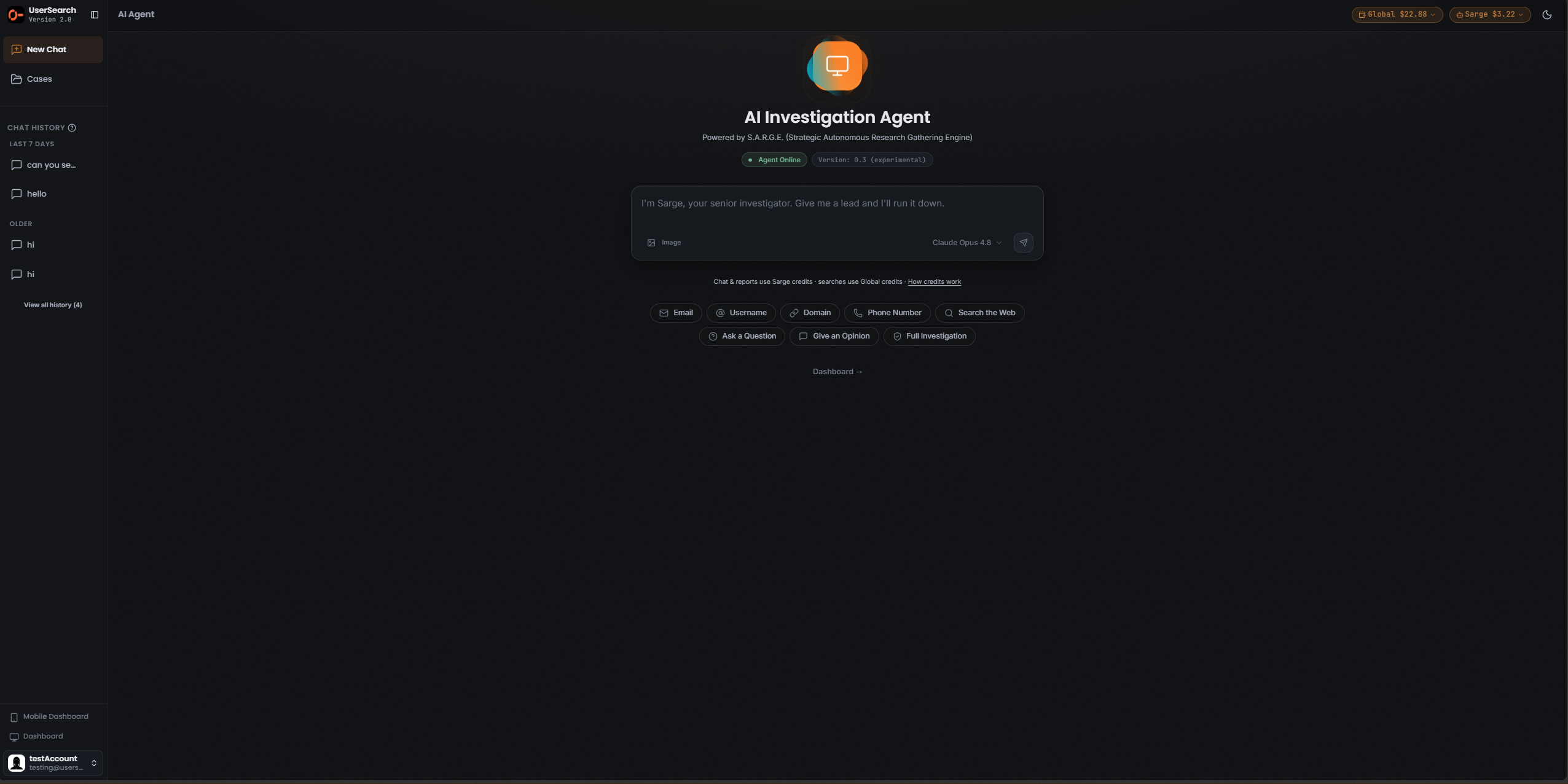
Running an AI action
Section titled “Running an AI action”Because the results-scoped entry points are not yet captured, the steps below describe the AI Agent surface that is documented — the chat composer you use to analyse and ask.
- Open the AI Agent. If this is your first use, clear the “Before You Use S.A.R.G.E.” consent modal (tick both acknowledgements, then Accept & Continue).
- Check the two Credit pills top-right — Global and Sarge — so you know which pool an action will draw from.
- In the composer, either type your question (AI Ask) or ask the agent to summarise / interpret your findings (AI Analyse). The composer placeholder reads: “I’m Sarge, your senior investigator. Give me a lead and I’ll run it down.”
- Optionally attach an image with the Image control, or seed the composer with a quick-start starter (Ask a Question, Give an Opinion, Full Search, or an entity type such as Email or Username).
- Confirm the model in the selector (shown as Claude Opus 4.8), then send.
- Read the reply in the thread, and verify it independently before acting.
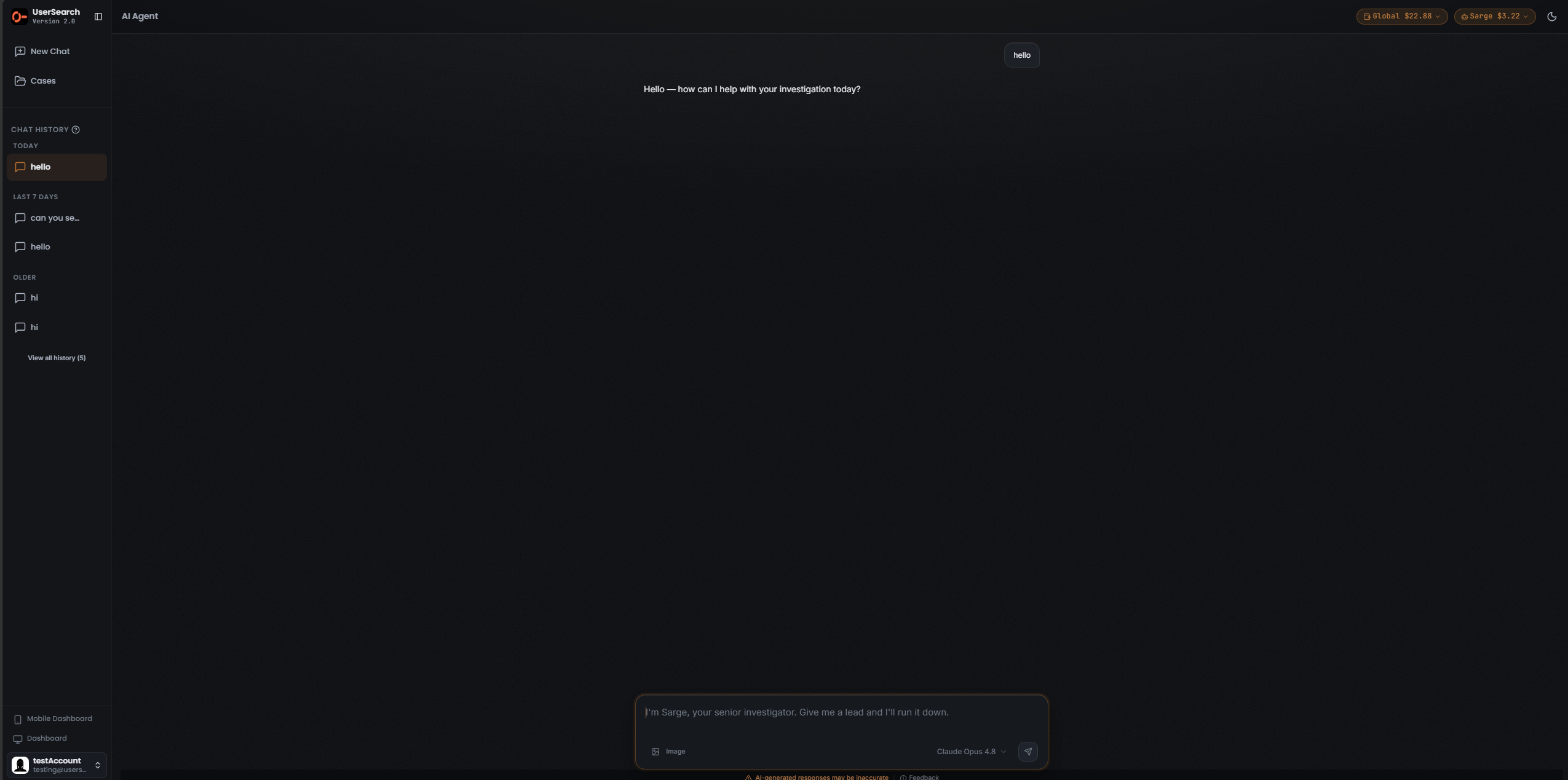
Below the composer, the agent repeats the caution “AI-generated responses may be inaccurate” and offers a Feedback link. A “How credits work” link explains the Global/Sarge split in more detail (explainer page not yet captured).
Where your conversations live
Section titled “Where your conversations live”Per the consent notice, AI Agent conversations are stored locally on your device and encrypted, not on UserSearch servers. Your chat history appears in the CHAT HISTORY sidebar, grouped by recency (for example TODAY, LAST 7 DAYS, OLDER), with a View all history count and a New Chat control. You can delete local history by clearing your browser cache, or via the in-app control referenced in the consent modal.
Related
Section titled “Related”Verified against UserSearch v2.0.20